
How To
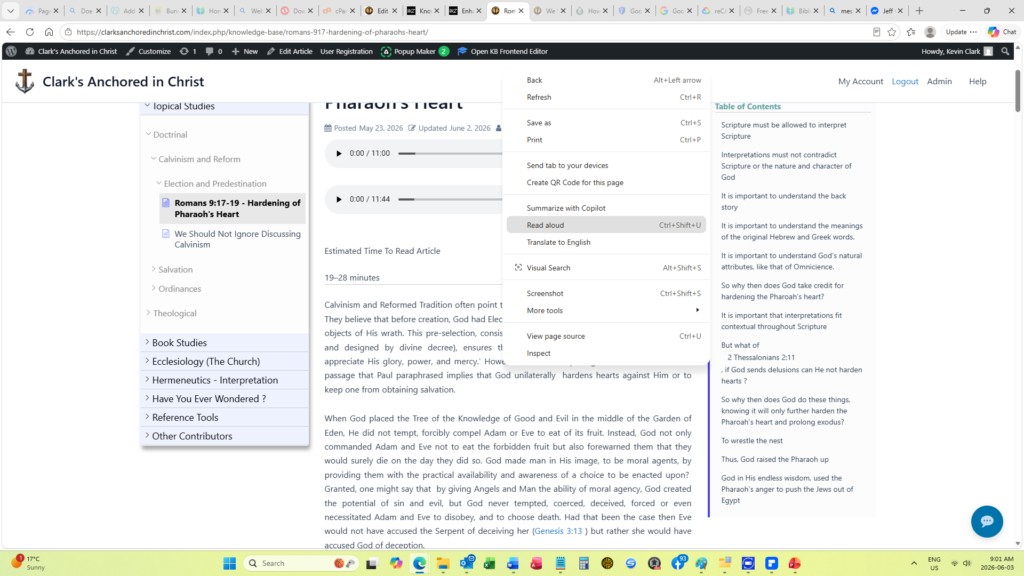
Did you know that most browsers will read an article to you?
All you need to do is:
- Right mouse click on the article
- Select “Read Aloud” from the menu that pops up ( alternatively you can use the keyboard shortcut Ctrl+Shift+U)
- Sit back and listen
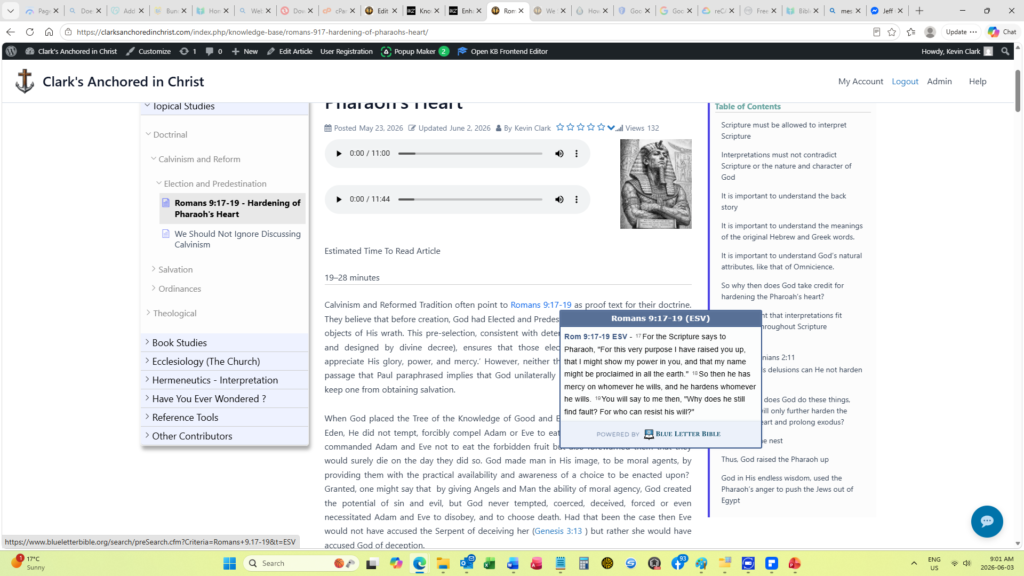
Did you know you can read all referenced Bible Verses right from the article?
All you need to do is:
- Hover your mouse pointer over any Bible Verse reference.
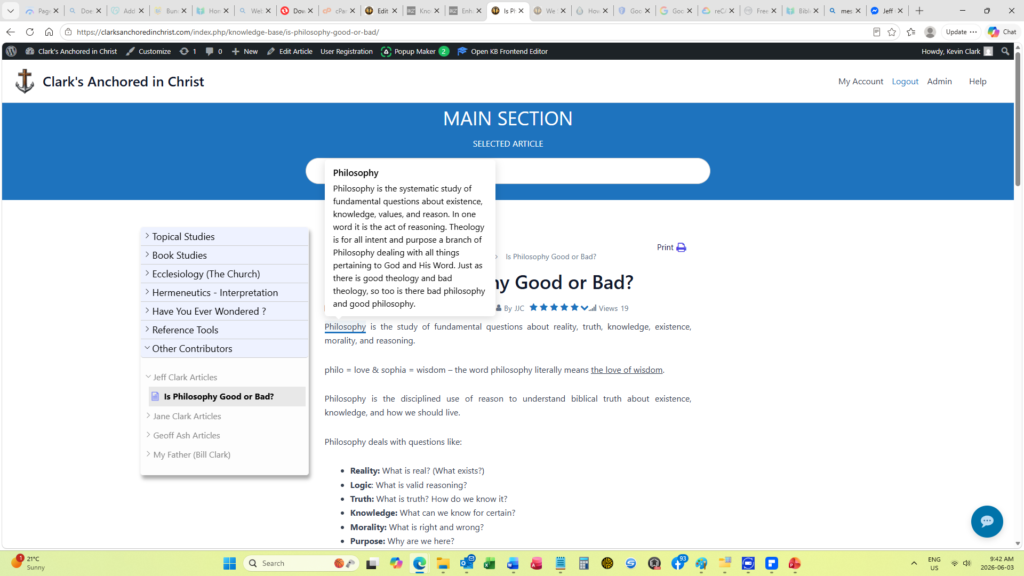
Did you know that this site has a growing glossary of terms?
All you need to do is:
- See if a word or phrase is underlined (This may indicate it has a definition in the glossary)
- Hover your mouse pointer over any underlined word or phrase
If you see a word or phrase you think should be added to the glossary, leave a comment at the bottom of this article.
NOTE: So as not to inundate an article with popups, only the first occurrence of each term in an article is highlighted.
Did you know that this site has a Bible Reference Index?
Every verse that is discussed in these articles is listed in this index. If you are looking for a specific verse :
- You can search for it from the search bar in the Bible Reference Index or
- You can scroll through the Bible Reference Index.
All articles that contain that reference are listed under the verse and you can click on any article to be taken directly to the article.

Did you know that this site has a Topical Index?
Looking for a specific topic?
- You can search for it from the search bar in the Topical Index or
- You can scroll through the Topical Index.
All articles that cover a specific topic are listed under the topic headings and you can click on any article to be taken directly to the article.
